
5 Google Business Profile Mistakes to Avoid | EchoView Lead Lab
5 Google Business Profile Changes That Can Do More Harm Than Good
You search Google for the service your business provides.
Then you look at the businesses showing up above you.
One competitor has added things like “Best Emergency Plumber Columbus Ohio” to its business name. Another seems to have every possible type of business added to its profile. Maybe another business is showing up in a city where you know it isn't actually located.
And the obvious thought is:
Should I be doing that too?
Maybe you've already tried some of it. Maybe you've hired someone to work on your profile for you.
Either way, it's easy to assume that if something is supposed to help you rank, it must be a good thing to do.
Not necessarily.
You see something a competitor is doing. You watch a video promising better Google Maps rankings. You read a tip in a Facebook group. Or someone you're paying tells you they know what works.
It sounds reasonable, so you try it.
The problem is that something can look like a smart way to improve your rankings without actually being a good idea.
Google isn't exactly secretive about the basics. It says businesses should represent themselves accurately, use their real-world business name, provide an accurate address or service area, and choose business categories that actually describe the core business.
So before you start looking for tricks to make your Google Business Profile rank better, start with something much less exciting:
Make sure it's right.
Accuracy comes before optimization.
1. Turning Your Business Name Into an SEO Sentence
You've probably seen this one.
The company's actual name is something like:
Smith Plumbing
But on Google, it's:
Smith Plumbing Best Emergency Plumber Columbus Ohio
There's a reason businesses do this. They believe adding words like “emergency plumber” and “Columbus Ohio” to the business name will help them appear when people search for those things.
And if you see a competitor doing it while they're ranking above you, it's pretty tempting to think you should do it too.
You'll sometimes hear this called keyword stuffing.
But Google says the name on your Business Profile should be the name your business actually uses in the real world. Information like your location, service area, hours and type of business belongs in the other sections of your profile, not added to your business name.
Google also warns that adding unnecessary information to the name isn't permitted and could result in suspension.
So if your business is Smith Plumbing, use Smith Plumbing.
Don't turn your business name into an SEO sentence.
Could you find competitors doing exactly that and ranking well?
Absolutely.
But seeing a business rank while doing something doesn't prove it's ranking because it's doing it.
And it doesn't change what Google says its business-name rules are.
2. Adding Every Business Category You Can Find
Your Google Business Profile asks you to choose categories that describe your business.
For example, you might choose Roofing Contractor or Plumber.
Those categories help Google understand what kind of business you have.
That makes it tempting to start adding categories for everything remotely connected to what you do.
You're a roofing contractor, but you also install gutters. And siding. And windows. And you handle storm damage. Maybe you've done some general contracting work too.
Pretty soon your category list starts looking like the menu at Cheesecake Factory.
More must be better, right?
Google says no.
Its guidance is to use as few categories as possible to describe your overall core business and to choose categories that are specific and actually represent the business.
Google even gives a simple way to think about it: choose categories that complete the sentence “This business IS a...” rather than “This business HAS a...”
That doesn't mean you're limited to one category. Some businesses legitimately fit more than one.
But there's a difference between adding a category because it accurately describes what your business is and adding one because you'd really like to show up when somebody searches for it.
Your categories help Google understand what kind of business you run so it can match your business with people searching for what you do.
If you're a plumber, Google needs to understand that you're a plumber when someone nearby searches for one.
That's why choosing the right categories matters.
But they're not a wish list of every kind of customer you'd like Google to send you.
3. Creating Another Profile Because You Can't Get Into the First One
This one can seem perfectly logical.
You search for your business and discover that a Google Business Profile already exists.
Maybe an employee created it years ago. Maybe an old marketing company set it up. Maybe you created it yourself using an email address you haven't thought about since 2017.
You can't get into it.
Creating a new one can feel like the easiest solution.
Don't.
Google allows only one Business Profile for each business. If Google considers another profile a duplicate, that duplicate won't show on Google Search or Maps.
If an existing profile represents your business but someone else controls it, Google has a process for requesting access to it.
Use that process.
Fixing an ownership problem may be annoying.
Creating another problem to avoid fixing the first problem usually isn't an improvement.
4. Using the Address You Wish Google Cared About
This one is particularly tempting for businesses that go to their customers.
Maybe you run your business from your home in a suburb, but most of the customers you want are in the larger city 20 miles away.
Wouldn't it be nice if you could just use an address over there?
Rent a mailbox. Use a virtual office. Borrow an address. Find some way to put your Google Business Profile closer to the customers you want.
Google's rules don't work that way.
Google says your profile should use your business's actual real-world location. P.O. boxes and remote mailboxes aren't acceptable. A virtual office isn't eligible unless the business actually operates there under Google's requirements.
If you travel to your customers instead of serving them at a storefront, Google lets you list the areas you serve. And if you run that kind of business from your home, Google says you should hide your home address from customers.
But here's the part that's easy to misunderstand:
Adding a city to the list of places you serve doesn't move your business there.
Google says distance is one of the things it considers when deciding which businesses to show in local search results. It considers how far a potential result is from the location used in the search.
You don't get to tell Google, “I'd really rather be downtown.”
Believe me, that would make this considerably easier.
Your location is your location.
5. Handing Your Google Business Profile Over to Someone Else
There's nothing wrong with hiring someone to manage your Google Business Profile.
I do it for businesses.
But there's a difference between giving someone permission to manage your profile and giving them control of it.
If you hire someone to work on your profile, you shouldn't need to hand over your Google password.
Google lets the owner add other people as managers. Managers can handle most of the day-to-day work on the profile, but they can't add or remove users or remove the profile itself.
And everybody uses their own Google account, so there's no reason to share passwords.
You should remain in control of your own profile.
That matters if you eventually stop working with the person or company managing it.
You don't want to discover during a breakup with a marketing company that they control the Google profile your customers use to find you.
Your business should own its profile.
The person you hire should have the access necessary to do the job.
Those are not the same thing.
So What Actually Helps Your Business Show Up on Google Maps?
This is where Google Business Profile advice gets less exciting than the internet sometimes makes it sound.
There isn't a button that says Rank Me Higher.
Google says local results are mainly based on three things:
Relevance. Distance. Popularity.
Relevance is how well your business matches what someone is searching for.
Distance is how far a potential search result is from the location involved in the search.
Popularity is about how well-known your business is.
You may also see Google use the word “prominence” for that last one in its documentation. Popularity is a much easier way to understand it.
Google says things like websites linking to your business, the number of Google reviews you have, and your ratings can contribute to how prominent your business is.
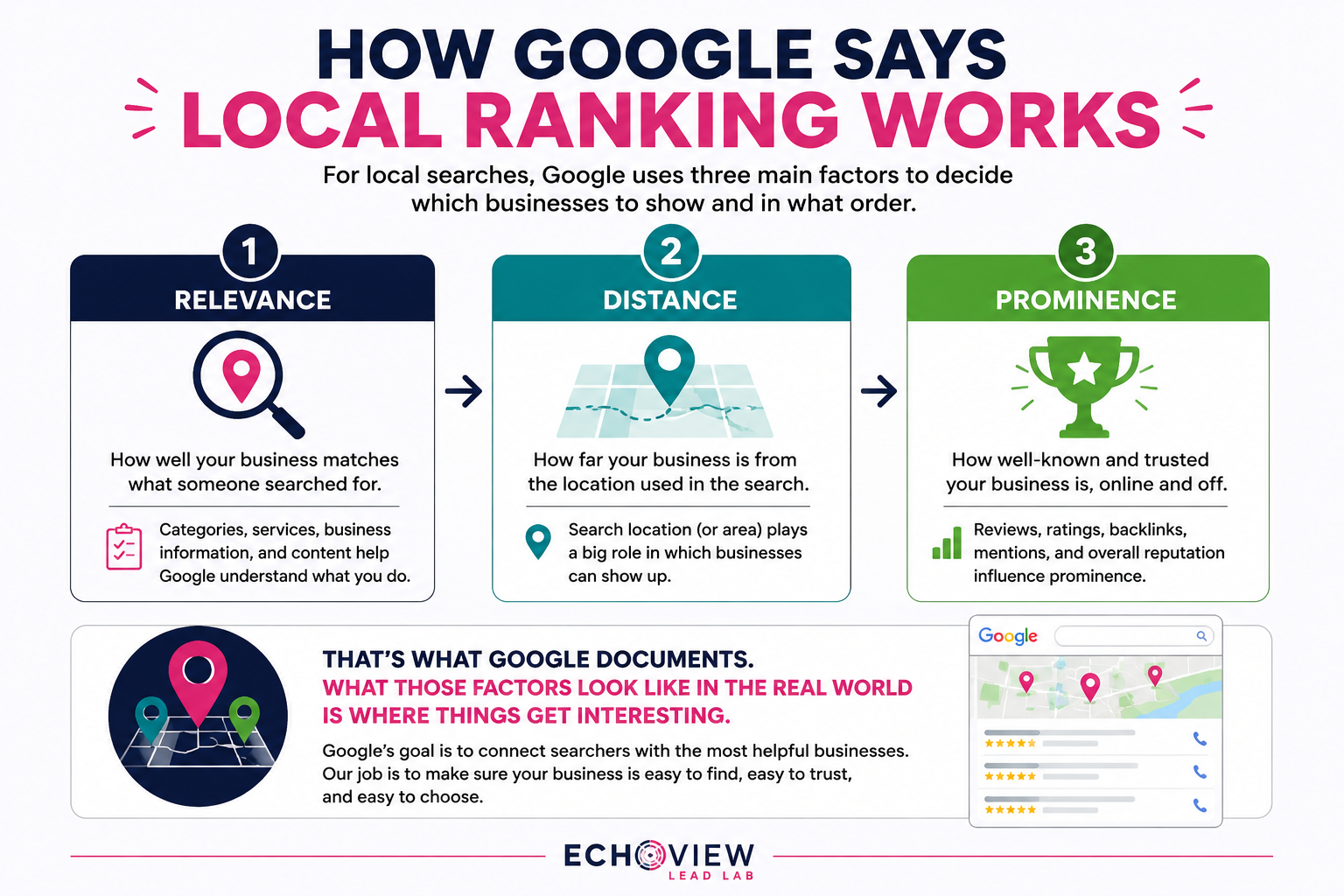
Google also says businesses with complete and accurate information are more likely to appear in relevant local searches.
That's not as exciting as a secret ranking trick.
But it gives us a much better starting point.
Make sure Google understands what your business is.
Make sure your information is accurate.
Make sure customers can find the information they need.
Then measure what happens.
Want to see what this looks like for your business?
My Free Google Maps Ranking Snapshot shows where your business appears across your local area, three competitors for comparison, and three opportunities I find in the data.
Get Your Free Google Maps Ranking Snapshot
Accuracy Comes Before Optimization
There's nothing wrong with wanting your business to rank higher on Google Maps.
And there's nothing wrong with hiring someone to help you get there.
But improving your Google Business Profile shouldn't mean trying every trick somebody claims will improve your rankings.
If a supposed ranking trick requires making your business look like something it isn't, that's a pretty good reason to stop and ask questions.
And if somebody tells you they know a secret trick that's going to put you at the top of Google Maps, there's a useful question to keep in your back pocket:
“Where does Google say that?”
That doesn't mean everything Google hasn't published is automatically false. Google doesn't tell us everything about how its ranking systems work.
But there's a big difference between Google not telling us everything and someone telling you to ignore something Google has clearly told us.
Start with what we know.
Make changes for a reason.
Let's see what the data says.
Want to check the rest of your profile?
I walk through 12 things every business owner should check on their Google Business Profile in this video.